
Developer APIs from services like Stripe and PayPal make it easy for online services to accept card and bank payments, but not mobile money payments such as M-Pesa. Some mobile money services offer their own APIs, while others have no developer API, or offer one only to large businesses.
If there's no API available, you can use the SMS receipts that your mobile money account already receives. There are three steps:
- Forward SMS receipts from your phone to Telerivet
- Save each payment with AI Operator
- Match each payment with the correct customer
1. Forward SMS receipts from your phone to Telerivet
When someone sends you a mobile money payment, your mobile money service sends an SMS receipt to the phone number on your account.
Install the Telerivet Gateway app on an Android phone with the SIM card for your mobile money account, and connect it to your Telerivet project. Each SMS receipt is then forwarded to Telerivet as it arrives, and appears on the Messages page.
This method requires a mobile money account in the country where you're accepting payments. Payments stay in your mobile money account until you withdraw them; Telerivet only records the receipts.
2. Extract payment data with AI Operator
Each mobile money service uses its own receipt format. Instead of writing code to read it, open AI Operator, paste an example receipt, and describe what you want. For example:
Create a service that reads incoming M-Pesa receipts like this one, and saves the transaction ID, amount, name and phone number of each payment to a data table:
QK71ZP3X Confirmed. You have received Ksh1,500.00 from JOHN KAMAU 0712345678 on 18/11/26 at 9:41 AM New M-PESA balance is Ksh12,345.00.
AI Operator builds the automated service for you to review. Before turning it on, test it with a few real receipts. You can also ask AI Operator to add actions to the same service, such as notifying your team or updating the customer's contact record when a payment arrives.
To make sure the payments you record are genuine:
- Only accept receipts from your mobile money service's official sender ID, such as MPESA. Some mobile networks allow SMS messages with a spoofed sender ID, so you can also check that the balance in each receipt matches your previous balance plus the amount received.
- Don't let the same transaction ID be used more than once.
- Mobile money services sometimes change the wording of their receipts. If payments stop being saved, paste a new example receipt into AI Operator and ask it to update the service.
To process payments in your own system instead, use the Webhook API to forward each incoming receipt to a URL on your server, or read the saved payments with the REST API.
3. Match each payment with the correct customer
Finally, you need to know which customer made each payment, so you can credit the right account. The name and phone number in a receipt aren't always reliable for this.
Some mobile money services offer bill payment options that let customers enter an account number when they pay, but these are often only available to large businesses. If customers send money to your phone number instead, ask them to enter the transaction ID from their own receipt in your application:
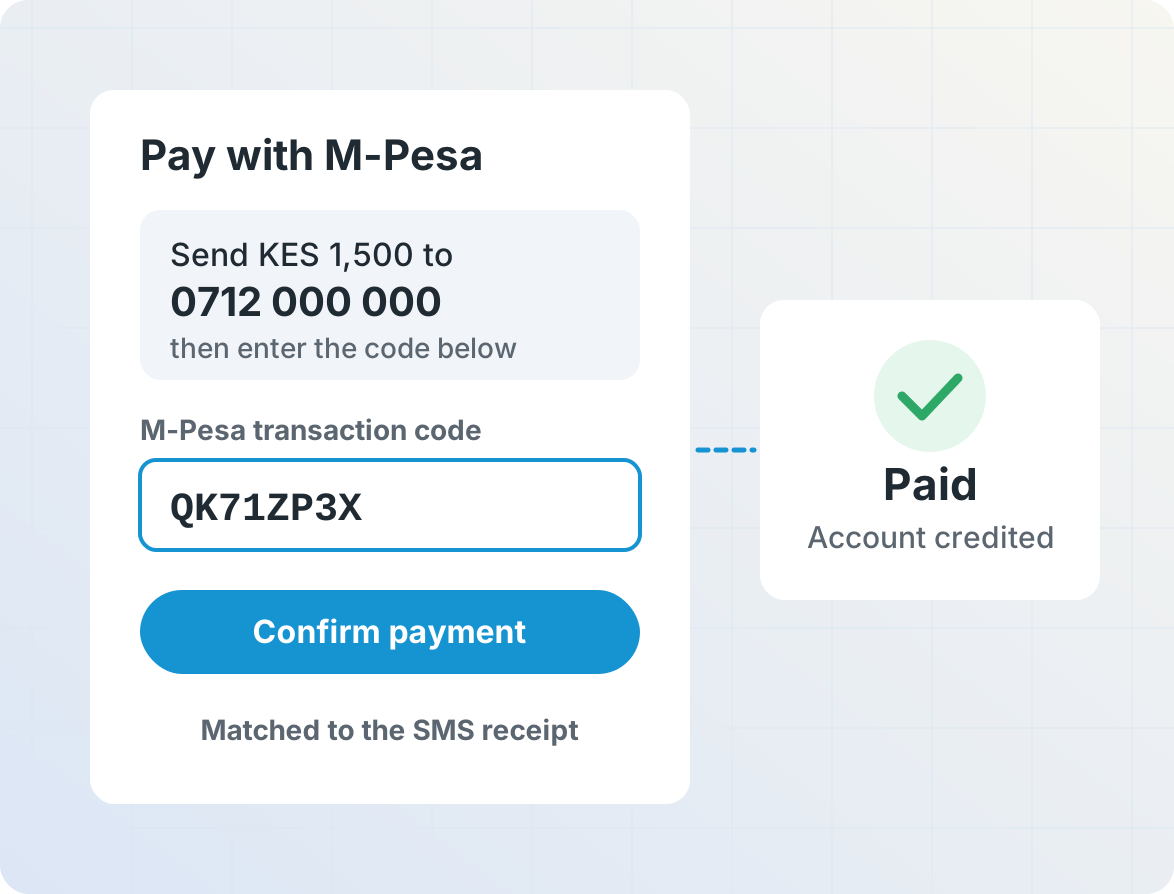
The customer knows the transaction ID because their own SMS receipt contains the same ID. When they enter it, look it up in your saved payments. If it matches, credit their account with the payment amount.
If the transaction ID doesn't match, the receipt may not have arrived yet, or the customer may have made a typo (for example, the digit 0 and the letter O can be hard to tell apart). Save the ID they entered and notify someone on your team to check it. You can then record the payment manually, or process it automatically when the receipt arrives.
Comments
0 comments
Please sign in to leave a comment.